




Owning cryptocurrency comes with a responsibility that many people underestimate. Buying crypto is easy. Keeping it safe over the long term is where things get serious. High-profile exchange failures, frozen withdrawals, and account hacks have made one thing clear: if you do not control your private keys, you do not truly control your assets. The Ledger Nano S Plus remains one of the most reliable entry-level hardware wallets in 2026. You can check current pricing, availability, and full specifications on the official Ledger Nano S Plus page.
- What the Ledger Nano S Plus is Designed For
- First-Time Setup and Ease of Use
- Security Architecture and Offline Protection
- Desktop-Focused Design and Connectivity
- Nano S Plus vs Everyday Software Wallets
- Supported Cryptocurrencies and App Storage
- Ledger Live Experience: How It Feels in Real Use
- Staking, Earning, and Extra Features Inside Ledger Live
- Using Ledger Nano S Plus with Third-Party Wallets
- Long-Term Reliability and Firmware Support
- Privacy Considerations and Trust Model
- Who the Ledger Nano S Plus Makes Sense For
- Who Might Want Something More Advanced
- Value for Money in Today’s Market
- Ledger Nano S Plus Pros & Cons
- Final Thoughts
This is where hardware wallets step in. Among the many options available, the Ledger Nano S Plus is often seen as a sensible entry point into self-custody. It is not the most expensive wallet in the market, nor is it the most feature-heavy. Instead, it positions itself as a practical balance between security, usability, and cost.
But before buying any hardware wallet, it is worth asking a simple question: Is the Ledger Nano S Plus enough for my needs?
This review focuses on answering that question by breaking down what the device offers, how it works in real life, and who it is best suited for.
What the Ledger Nano S Plus is Designed For

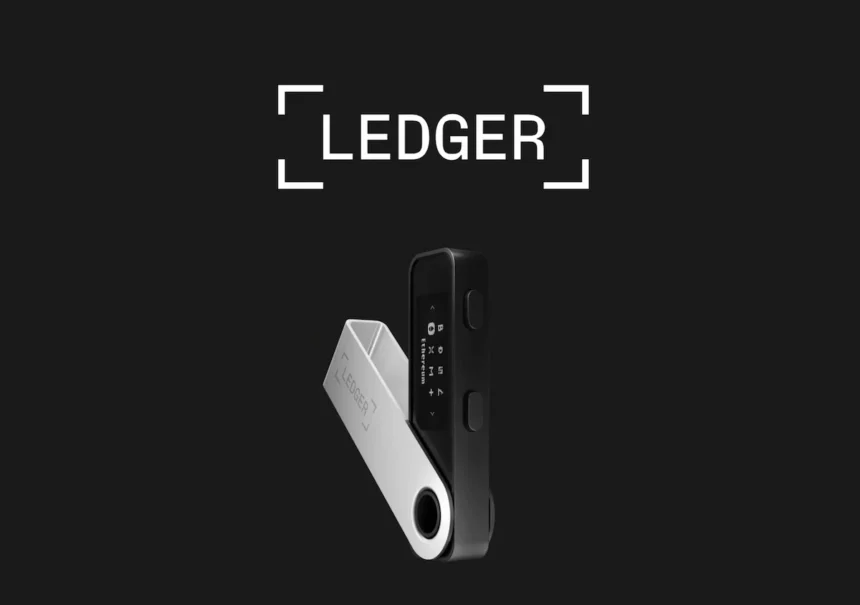
The Ledger Nano S Plus is a cold storage hardware wallet. Its main job is to keep your private keys offline, away from the internet and potential attackers. The device connects to a computer using a USB-C cable and works with Ledger Live, Ledger’s official desktop software.
Unlike hot wallets or exchange wallets, the Nano S Plus never exposes your private keys to your computer or the internet. Transactions are created on your computer but must be physically approved on the device itself. This design significantly reduces the risk of theft caused by malware or phishing attacks.
The Nano S Plus is aimed at users who want strong security without paying extra for advanced convenience features. It is particularly well-suited for long-term investors, beginners who are moving off exchanges, and users who manage their crypto mainly from a laptop or desktop.
It is not marketed as a mobile-first wallet, and that distinction is important when deciding whether it fits your usage style.
| Feature | Details | Benefit / Note |
|---|---|---|
| Secure Element Chip | CC EAL6+ certified | Top-tier offline key protection |
| Display | 128×64 px OLED (monochrome) | Clear transaction verification |
| Connectivity | USB-C only (no Bluetooth) | Reduced attack surface; desktop-focused |
| Storage Capacity | ~1.5–2 MB (up to 100+ apps) | Install more coins without frequent swaps |
| Supported Assets | 5,500+ coins/tokens + NFTs | Broad coverage (BTC, ETH, ERC-20, Solana) |
| Compatibility | Windows, macOS, Linux, Android (via USB) | No native iOS support |
| Dimensions / Weight | 62.5 x 17.4 x 8.24 mm / 21g | Compact and lightweight |
| Current Price (2026) | ~$79 USD | Excellent value for entry-level hardware |
First-Time Setup and Ease of Use
Setting up the Ledger Nano S Plus is a guided process. When you power on the device for the first time, it walks you through creating a PIN and generating a recovery phrase. This phrase is shown only once and must be written down and stored securely offline.
Ledger Live plays a major role here. The software provides clear instructions, safety reminders, and checks to ensure you have correctly recorded your recovery phrase. For beginners, this step-by-step approach reduces mistakes and builds confidence.
Navigation on the device itself is done using two physical buttons. One button scrolls left, the other scrolls right, and pressing both confirms a selection. While this may feel slow at first, it is intentionally designed to prevent accidental approvals.
Once set up, everyday actions such as checking balances or installing coin apps are handled through Ledger Live. The learning curve is manageable, even for users with limited technical experience.
Security Architecture and Offline Protection

Security is the core reason to buy a hardware wallet, and this is where the Nano S Plus performs well.
The device uses a Secure Element chip designed to protect sensitive information. Private keys are generated and stored inside this chip and never leave it. Even if your computer is compromised, an attacker cannot sign transactions without physical access to the wallet and knowledge of the PIN.
Every transaction must be verified on the device screen. This allows you to check the destination address before approving anything. If the address on your computer does not match what appears on the device, you can reject the transaction instantly.
The recovery phrase system ensures that you can restore your funds if the device is lost, stolen, or damaged. As long as the recovery phrase is kept safe, your assets remain accessible.
It is worth noting that security is a shared responsibility. The Nano S Plus provides strong protection, but users must still follow best practices, such as never sharing the recovery phrase and avoiding fake Ledger apps or phishing emails.
Desktop-Focused Design and Connectivity
The Ledger Nano S Plus is designed primarily for desktop or laptop use. It connects via a USB-C cable and does not have a built-in battery. This means the device only works when physically connected.
There is no Bluetooth support on the Nano S Plus. While this limits wireless convenience, it also reduces potential attack surfaces. For users who prefer a wired setup, this can actually feel reassuring.
Using the wallet with a smartphone is possible, but it requires compatible cables and adapters. For many users, especially those who manage crypto occasionally rather than constantly, this is not a major issue.
The design choice reflects Ledger’s intent with this model: reliability and simplicity over mobility.
Nano S Plus vs Everyday Software Wallets
Compared to software wallets, the Nano S Plus offers a significant security upgrade. Software wallets store private keys on internet-connected devices, which makes them vulnerable to malware and phishing.
With the Nano S Plus, private keys stay offline at all times. Even if your computer is compromised, transactions still require manual approval on the hardware wallet.
For users holding small amounts of crypto for experimentation, software wallets may be sufficient. But as holdings grow, the added protection of a hardware wallet becomes increasingly important.
In this context, the Nano S Plus represents a logical next step for users who want to move from convenience-first storage to security-first storage.
Supported Cryptocurrencies and App Storage

One of the most practical improvements of the Ledger Nano S Plus compared to older models is its increased internal storage.
The device supports thousands of cryptocurrencies and tokens, including Bitcoin, Ethereum, and most major altcoins. It also supports a wide range of ERC-20 tokens, making it suitable for users with diversified portfolios.
Each cryptocurrency requires a dedicated app to be installed on the device. The Nano S Plus can hold significantly more apps at the same time than the original Nano S. This reduces the need to uninstall and reinstall apps when managing multiple assets.
For most users, app storage will not be a limiting factor. You can comfortably manage several cryptocurrencies without constant app management, which makes the overall experience smoother and less frustrating.
Ledger Live Experience: How It Feels in Real Use
Ledger Live is the software layer that connects the Ledger Nano S Plus to the blockchain. Without it, the hardware wallet would be little more than a secure vault with no interface. For most users, Ledger Live becomes the daily touchpoint for managing crypto.
The software is available on Windows, macOS, and Linux. Installation is straightforward, and updates are clearly communicated. Ledger Live handles essential tasks such as checking balances, sending and receiving crypto, installing apps on the device, and managing firmware updates.
For beginners, Ledger Live is one of the more approachable interfaces in the hardware wallet ecosystem. The layout is clean, instructions are written in plain language, and warnings around security are repeated often enough to reinforce good habits without becoming overwhelming.
Portfolio tracking is included, allowing users to see the value of their assets in one place. While it is not meant to replace advanced portfolio tools, it works well for basic monitoring and long-term holding.
| Feature | Supported? | Details / Note |
|---|---|---|
| Buy/Sell/Swap | Yes | Via third-party partners (higher fees) |
| Staking | Yes | For select coins (keys stay offline) |
| NFT Management | Yes | View/send Ethereum NFTs |
| Portfolio Tracking | Basic | Balances and history |
| Firmware Updates | Yes | Physical confirmation required |
| Third-Party Wallet Integration | Yes | MetaMask, Phantom, etc. as signer |
Staking, Earning, and Extra Features Inside Ledger Live
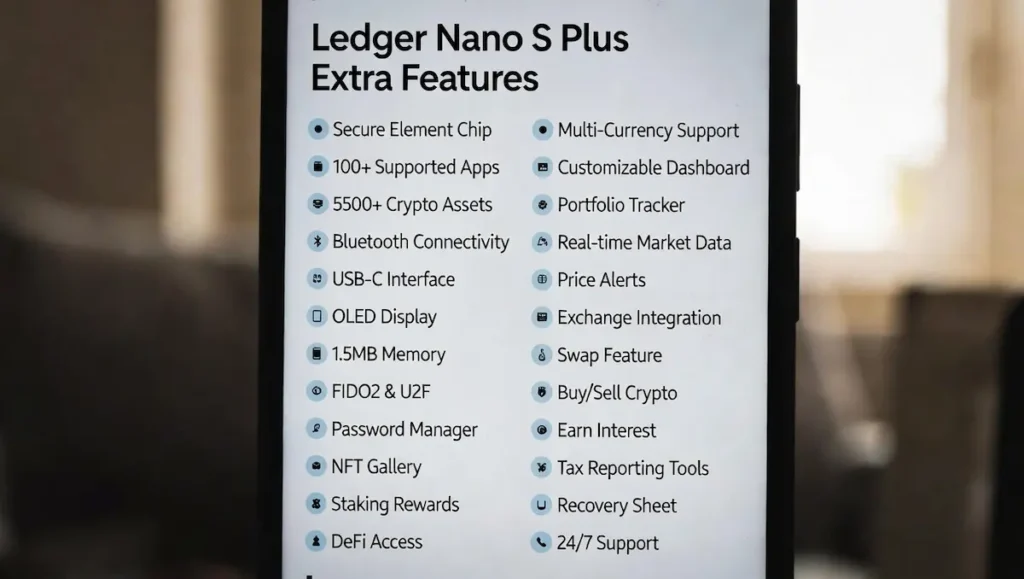
Ledger Live supports staking for select cryptocurrencies. This allows users to earn rewards while keeping full custody of their assets. Staking through Ledger Live generally involves delegating tokens while the private keys remain protected by the hardware wallet. Staking is available for several major coins directly through Ledger Live (with keys remaining offline). Ledger provides a detailed Ledger Live staking guide that walks you through eligible assets, rewards, and setup.
For long-term holders, this feature adds meaningful value. It eliminates the need to move funds to exchanges or third-party platforms just to earn yield. Everything happens within a familiar interface.
Ledger Live also integrates third-party services for buying, swapping, and selling crypto. These services are optional and rely on external providers. While convenient, fees may be higher than using dedicated exchanges, so users should treat these features as convenience tools rather than primary trading solutions.
Importantly, Ledger Live does not force users into these services. You can use the wallet purely for storage and transfers without engaging with any extras.
Using Ledger Nano S Plus with Third-Party Wallets
While Ledger Live covers most basic needs, the Nano S Plus can also be used with third-party wallets and browser extensions. This is especially relevant for users who interact with decentralized applications or specific blockchains not fully supported inside Ledger Live.
In these cases, the Ledger device acts as a secure signer. Transactions are initiated in the third-party wallet but must still be physically approved on the Nano S Plus. This maintains the same security model while allowing broader ecosystem access.
This flexibility is important because it prevents vendor lock-in. Users are not restricted to Ledger Live alone, which extends the usefulness of the device as the crypto landscape evolves.
That said, interacting with third-party wallets requires more technical confidence. Beginners may prefer to stay within Ledger Live until they are comfortable with the basics.
Long-Term Reliability and Firmware Support
A hardware wallet is not a short-term purchase. Users expect it to remain functional and secure for years. The Ledger Nano S Plus benefits from ongoing firmware updates that address security improvements, compatibility updates, and bug fixes.
Firmware updates are handled through Ledger Live and require physical confirmation on the device. This ensures that even updates cannot be installed silently without user approval.
Ledger has a long track record in the hardware wallet space, and while no company is perfect, consistent software support adds to the long-term reliability of the Nano S Plus.
The hardware itself is simple and durable. With no touchscreen and no battery, fewer components can degrade over time. This simplicity works in favor of longevity.
Privacy Considerations and Trust Model
It is important to understand the trust model behind the Ledger Nano S Plus. the device uses a certified Secure Element chip (CC EAL6+ — you can see full CC EAL6+ certification details on the Common Criteria portal) that keeps your private keys completely offline. Ledger’s entire security architecture explained on their Academy page is built around isolating keys from internet-connected environments — even when using Ledger Live. This design prioritizes physical and cryptographic security but requires trust in Ledger as a manufacturer.
Some users prefer fully open-source hardware wallets for ideological or transparency reasons. Others are comfortable trusting a well-established company with a strong security reputation.
Ledger does not have access to user funds or recovery phrases. As long as the recovery phrase is kept private, control remains entirely with the user.
Understanding this trade-off helps users make informed decisions rather than emotional ones.
Who the Ledger Nano S Plus Makes Sense For
The Ledger Nano S Plus is well-suited for users who value security and simplicity over constant convenience. It is ideal for long-term investors who buy crypto with the intention of holding it securely rather than trading frequently.
It works well for beginners who want a guided introduction to self-custody without being overwhelmed by technical complexity. It also suits professionals who view crypto as part of a broader financial strategy and prefer a reliable, no-drama storage solution.
For these users, the Nano S Plus delivers exactly what it promises.
Who Might Want Something More Advanced
The Nano S Plus may feel limiting for users who rely heavily on mobile devices and expect wireless connectivity. Active traders who make frequent transactions may find the physical confirmation process slow and repetitive.
Advanced DeFi users who constantly interact with new chains and protocols may prefer wallets that integrate more seamlessly with browser-based tools. These limitations do not make the Nano S Plus a bad product. They simply define its intended audience. If you want wireless convenience and native iOS support, the Ledger Nano X is the next logical step up. For a detailed side-by-side breakdown, check out this Nano S Plus vs Nano X comparison from Investopedia.
| Feature | Ledger Nano S Plus | Ledger Nano X | Trezor Model T | SafePal S1 |
|---|---|---|---|---|
| Price (2026 est.) | $79 | $149 | $179 | $50 |
| Connectivity | USB-C only | USB-C + Bluetooth | USB-C | QR code (air-gapped) |
| Display | OLED 128×64 | OLED 128×64 | Color touchscreen | Monochrome screen |
| App Storage | 100+ apps | 100+ apps | Unlimited | Limited |
| Mobile Support | Android (wired) | iOS + Android | Android | Full mobile |
| Best For | Budget long-term | Mobile convenience | Open-source fans | Ultra-secure air-gap |
Value for Money in Today’s Market
From a pricing perspective, the Ledger Nano S Plus sits in a strong position. It offers the same core security as more expensive models while removing features that many users do not actually need.
You are paying for protection, not convenience gimmicks. For most holders, that is a fair trade.
Considering the value of assets typically stored on hardware wallets, the cost of the Nano S Plus is relatively small. Its ability to prevent a single major security incident can justify the purchase many times over.
In terms of cost-to-security ratio, it remains one of the most balanced options available.
Ledger Nano S Plus Pros & Cons
| Pros | Cons |
|---|---|
| Excellent offline security (Secure Element + physical approval) | No Bluetooth or wireless (requires cable) |
| Larger app storage than older Nano S | Desktop-focused; less mobile-friendly |
| Supports 5,500+ assets & NFTs | No touchscreen (button navigation only) |
| Affordable price (~$79) | No battery (must be plugged in) |
| Clean Ledger Live integration + staking | Closed-source firmware (requires trust in Ledger) |
| Durable, long-term firmware support | Not ideal for frequent traders/DeFi power users |
Final Thoughts
For the majority of crypto users, the answer is yes. The Ledger Nano S Plus delivers strong offline security, wide asset support, and a clean user experience without unnecessary complexity. It focuses on doing one job well: keeping your private keys safe.
It may not be the most convenient wallet for constant mobile use, and it is not designed for high-frequency trading. But for long-term storage, disciplined investing, and peace of mind, it performs exactly as intended.
If your goal is to secure your crypto responsibly and sleep better knowing your assets are protected, the Ledger Nano S Plus is more than enough. It is a practical choice that values substance over shine, and sometimes, that is exactly what good security looks like.
Also read: Best Crypto Wallets for Long Term Holding